Hi,
When you have a required asset field, if you forgot to select one and save then it is impossible to fix the missing required element:
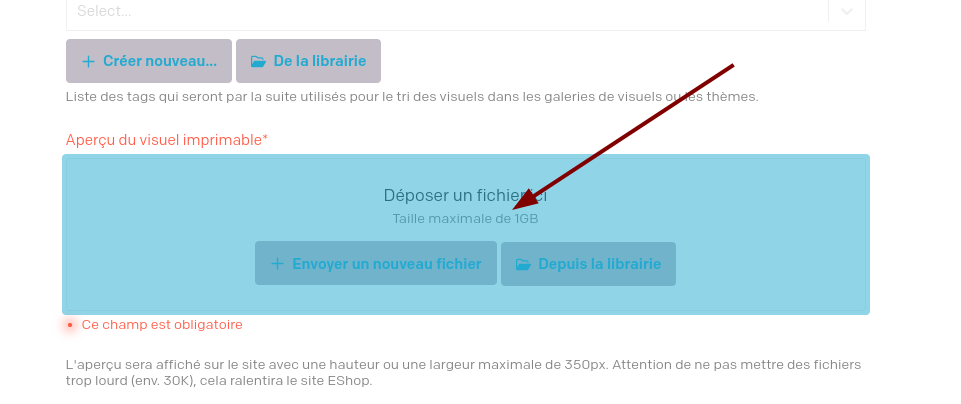
The button are disabled!
Regards
Do you have an example record URL (or a screen recording) where this is happening? I could not seem to replicate it on my side. What steps do you have to take to make it happen?
Normally you wouldn’t even be able to save the record if that field is required but missing. I can’t seem to make the buttons disabled…
Could you please point me at a record where this is happening, and I’ll take a deeper look?
Hi,
Found when it occurs
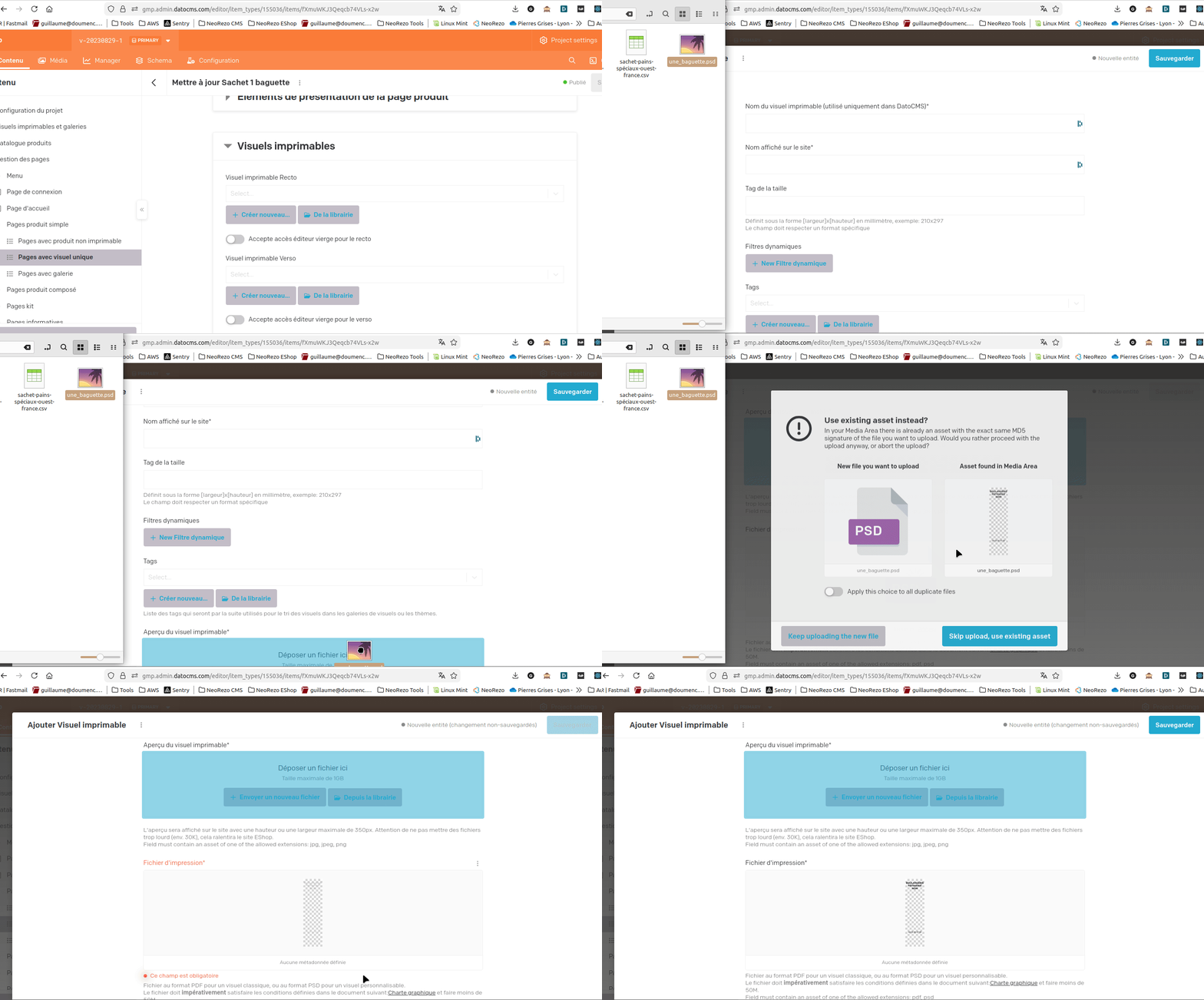
Got it, thank you @gdoumenc! The recording was very helpful.
This is a bug, and I’ll let the devs know!
I think it only happens when you drag a file into asset field but then move it elsewhere (either a second asset field, or anywhere else) without dropping it into the first asset field.
I’ll let you know once it’s fixed. Thank you!
@gdoumenc This should be fixed now. It was a bug on our side where we weren’t checking for the mouse leaving the asset field correctly.
Could you please give it a try again and let us know if you’re still seeing issues? (Please refresh your browser window first).
Thanks again for the report!