We’re using the Visual Editing plugin, which was very easy to setup and has been helpful!
However, we’ve been having some problems with excessive console warnings (2000+ per page). The warnings are descriptive, but since the plugin is working properly without fixing the warnings and this is just a feature for content editors of our site, addressing them is not a high priority for us.
Is there an option to suppress console warnings from the Visual Editing plugin? We’re using Astro with ContentLink from @datocms/astro package in particular.
In this case, we have a Structured Text field with many blocks inside of it to generate an article. This includes some more complicated block components, like our table. We have multiple fields used to control a single cell, and since those fields are solving to the same element, they’re conflicting and generating warnings in the console.
We are using data-datocms-content-link-group on the element wrapping our StructuredText component and data-datocms-content-link-boundary on the block component wrapper. I believe we can resolve the warnings by using data-datocms-content-link-url to manually set the editing URLs for the cells. (You can see examples of our blog content here, though the data attributes won’t be visible since it’s on prod https://www.figure.com/blog/dscr-loan-vs-heloc-which-is-right-for-your-real-estate-investment/)
For now the way we have it implemented is working “good enough” for us to enable for content editors in our organization while planning to come back to clean up later. But the console warnings are coming in such a large amount that we have a hard time seeing other console logs on the page.
Is there a way to quiet the console logging in the meantime? Or is the only way to quiet them to fix the issue it’s warning about?
Would it be possible for you to share the actual record in DatoCMS that the page is linked to, along with either the preview URL that’s showing the console errors or the code (a snippet or the repo) so I can see what the errors actually are to better trace them? From your description I can’t tell if it’s something we’re explicitly console.logging or if it’s a warning from the browser or a framework. Whether and how to silence it depends on where it came from, and I need to be able to see the whole thing to better trace it.
If you could please share the record URL and the code with us (you can share it with r.tuan@datocms.com on Github) that would be best so I can try to reproduce & fix it on my end. Otherwise, if it’s sensitive, could you maybe at least send us a screen recording or screenshot of the actual errors? You can DM me here on the forum or send an email to support@datocms.com with the details.
Thank you and sorry for the back-and-forth!
Also pinging @m.finamor here to see if he has ideas (he’s more knowledgeable about Visual Editing than I am)
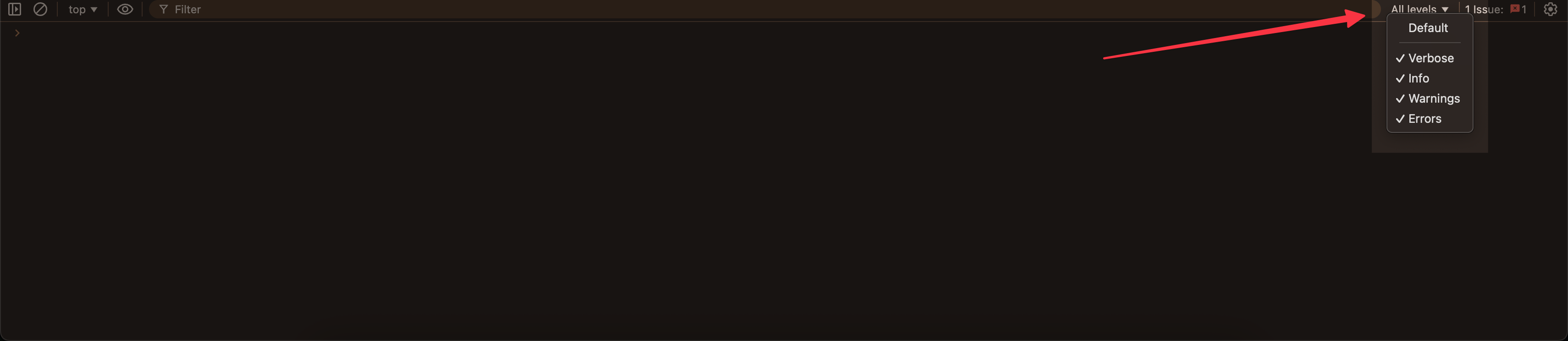
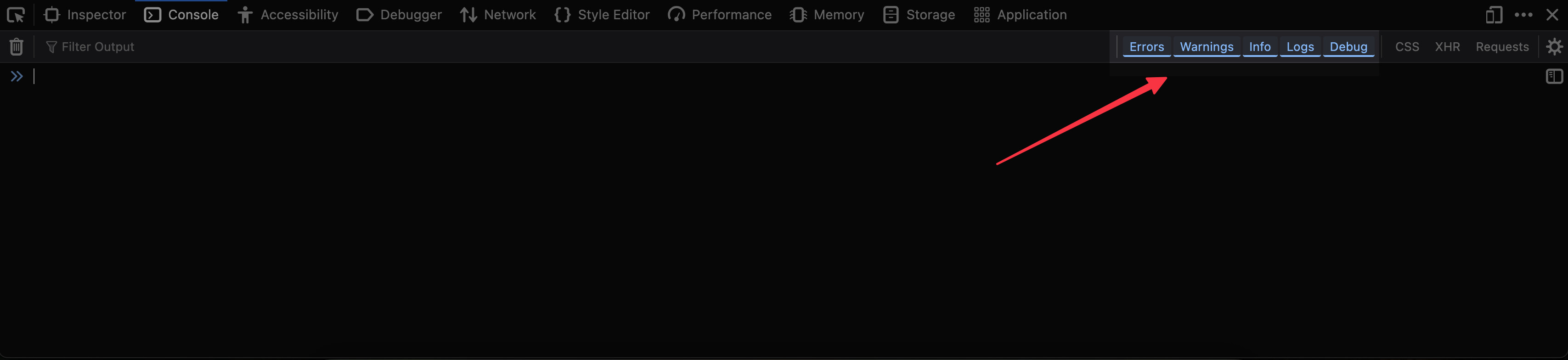
Also, if you didn’t already know this, you can usually tell your browser to only show certain levels of console messages, like excluding warnings but still showing info and logs.
If you are seeing this warning: @datocms/content-link: [@datocms/content-link] Multiple stega encoded payloads resolved to the same DOM element....
From what you described, your Structured Text wrapper and block boundary setup sounds correct. The issue is likely inside the table block itself, where multiple text fields are ending up on the same cell element, for example the same <td> or inner <span>. When that happens, Visual Editing has more than one edit URL competing for the same target, so it warns.
The fix is to make each target unambiguous. If you want each field editable separately, wrap each stega backed value in its own element inside the cell. If you want the whole cell to open a single target, pick one source for that cell and make that the only Content Link source on the element, then render the other visible values with stega stripped.
In Astro, this kind of pattern usually works well:
So yes, your intuition about manually choosing the target is right, but data-datocms-content-link-url on its own usually is not enough if the cell still contains multiple stega encoded values. You need to either separate those values into distinct elements, or keep only one encoded source on that cell.
Thank you for the help! And sorry for the late response, I was out of office.
@m.finamor’s suggestion would definitely resolve the console warnings we’re experiencing!
But just to clarify, there’s no way to quiet the warnings other than to fix what’s causing the warning in the first place? I understand we can filter the console log type in the browser but if we have warnings from other sources we wouldn’t be able to see them.
I unfortunately do not have a screenshot because we had to turn the feature off on our side. The warning @m.finamor mentioned is the one we saw, where multiple payloads were resolving to the same element.
If this isn’t something you’re able to participate in yourself, feel free to share this opportunity with a colleague who might be interested — it would be greatly appreciated!