Same! Now that I’ve done quite a few projects with Dato, I’ve got a few reusable Blocks that I would love to easily import via json or any other config file.
Maybe the best way is to create a Boilerplate project and duplicate this project instead of starting from scratch?
I have yes, I think blueprint projects could be it indeed! That said, I think maybe having the option to create a template within the dashboard would be great, then in the modal “Start a new project from a template” you could select your own boilerplate template and create projects that are already bootstrapped. That would be a great QoL improvement
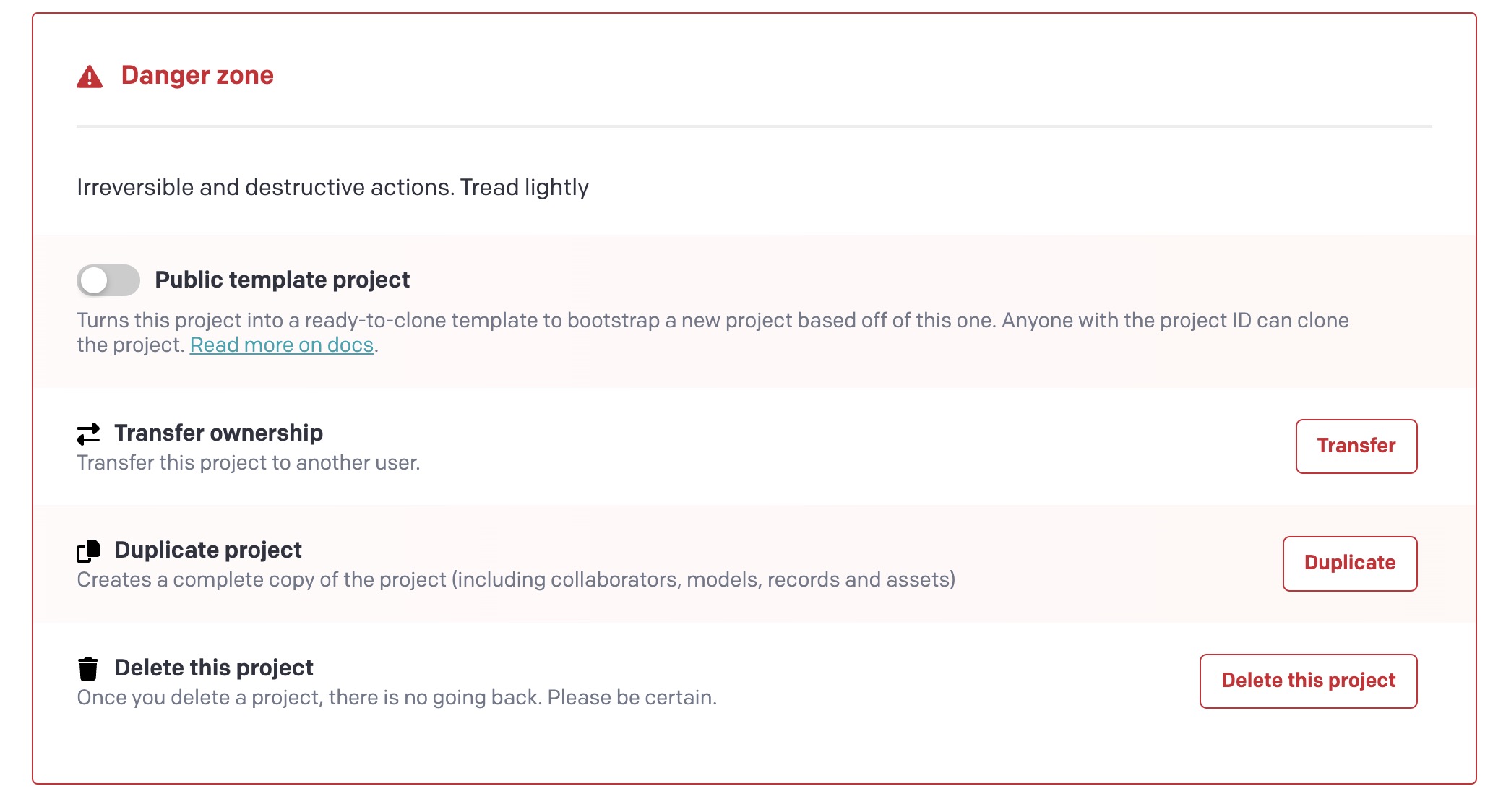
FYI you can do something pretty similar. If you click on a project (without entering it, so just click on its name instead of the “enter project” arrow icon), you can scroll down to the bottom of the list and Duplicate it there:
Some UI that shows which models and blocks will be added/changed/removed, which fields will be added/changed/removed etc.
Basically the import should try and merge/apply the changes and not just override the existing models. Like migrations.
Use case:
We have users managing multiple projects. They don’t use the CLI. They might make multiple changes to schemas and they want to sync them across to the other projects.
Hi @jesper@thom@david.desloovere@primoz.rome, hello everyone who may be interested…
I am evaluating this topic and would be grateful if you would be willing to share your thoughts in a quick one-on-one session and gather your needs, use cases and expectations.
If you are still interested, I gladly invite you to block a session from those available, or to send me a private message with your availability and I will try to find a match.
However, I will soon open a new dedicated thread both here in the community and on Slack.
I hope to hear from you soon… Thank you!
I particularly would like a way to export/import a code representation of a single model, this would allow for much easier duplication of specific things between projects.
E.g. multiple projects all need a “Header + Image + Body + Link” modular block. It’s time-consuming to use the GUI to construct this block again and again in every project (with all the field settings, presentation etc.). I should be able to download it and then import it as the definition for a block elsewhere.
While we don’t yet have a good GUI to handle those, you can extract that schema into code using our blueprints and migration scripts (see the previous post at Import/export JSON schema for models - #22 by roger). Once you generate that script, you can find the exact schema for that model in the generated code and re-use that anywhere you need.
It all just boils down to CMA commands, really, so whether you have the script autogenerate them or write them manually, you get a reusable set of code that you can use anywhere.
But yes, I also wish we had a better GUI for controlling these!
I know many of you have been waiting patiently for a simpler solution to import models and blocks between projects — and we’ve finally got something to share!
We wanted to take the time to get this right, since we know how complex these imports can be. After lots of brainstorming and design discussions, we’re excited to release this as a plugin that you can start using today!
Keep in mind this is an alpha version, so we’d absolutely love to hear your thoughts and feedback. Your real-world experience using it will help us make it even better and more user-friendly.
Would love for you to give it a try when you have a chance and let us know what you think!