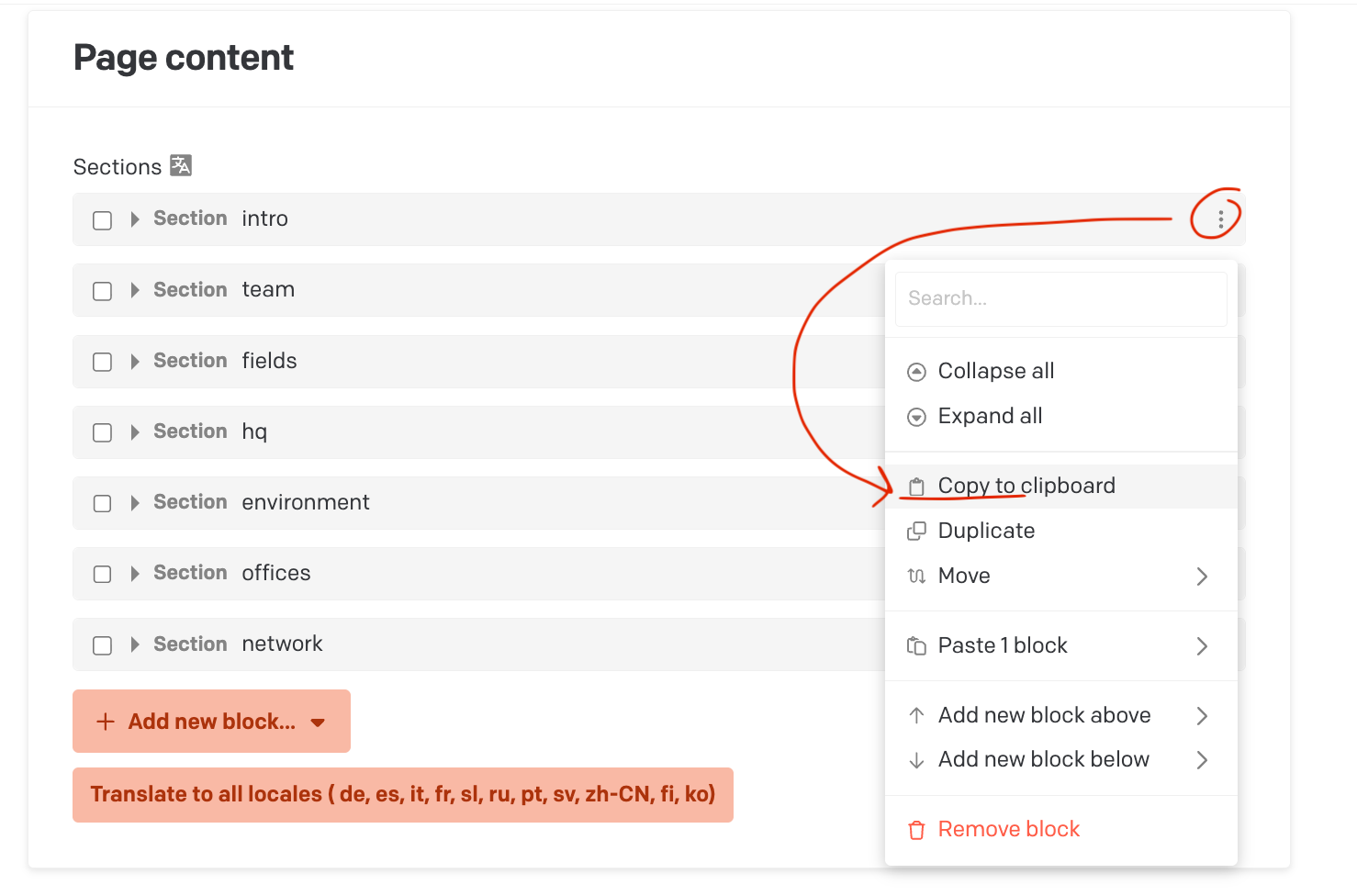
Hi there. We are allowed to copy and paste 1 block at a time using this:
Could you add that we can also copy-paste all blocks at the same time?
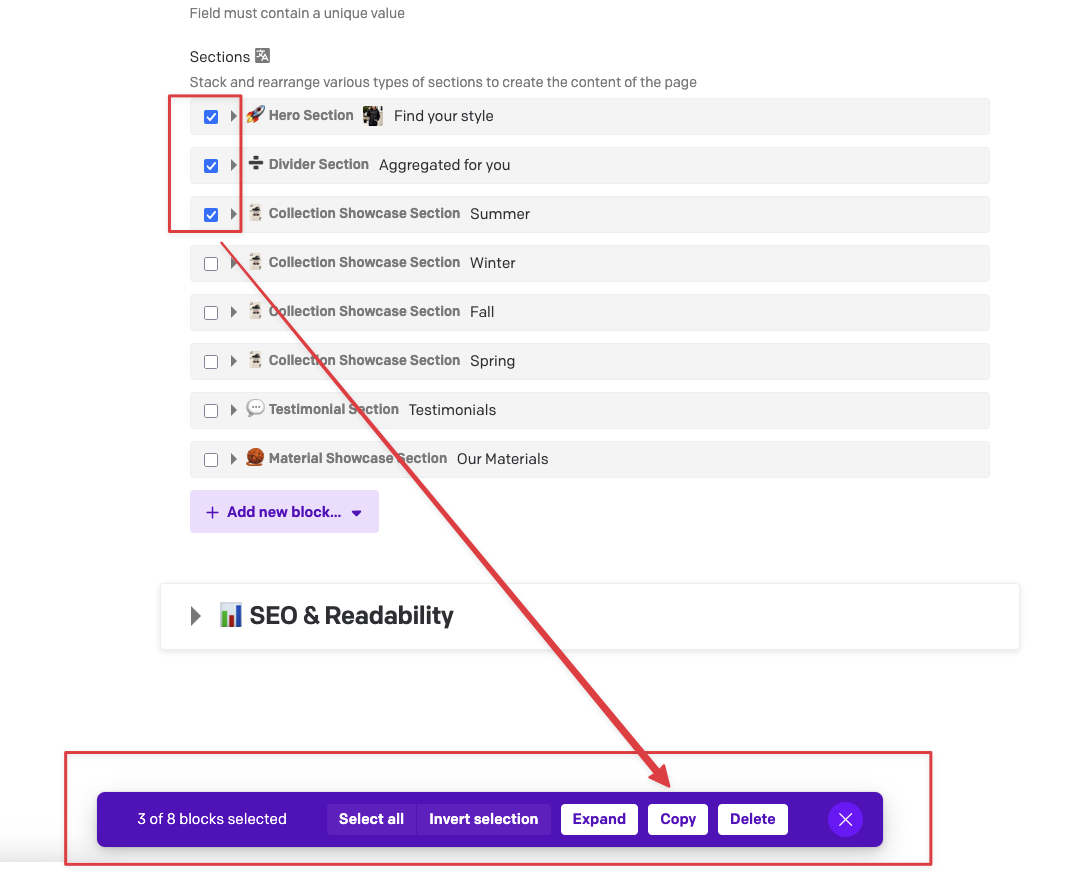
You already can! Just use the checkboxes on the left to select one or more, and a toolbar will pop up 
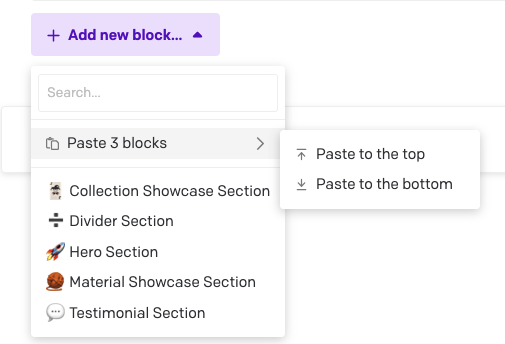
Then you can paste them with the Add button:
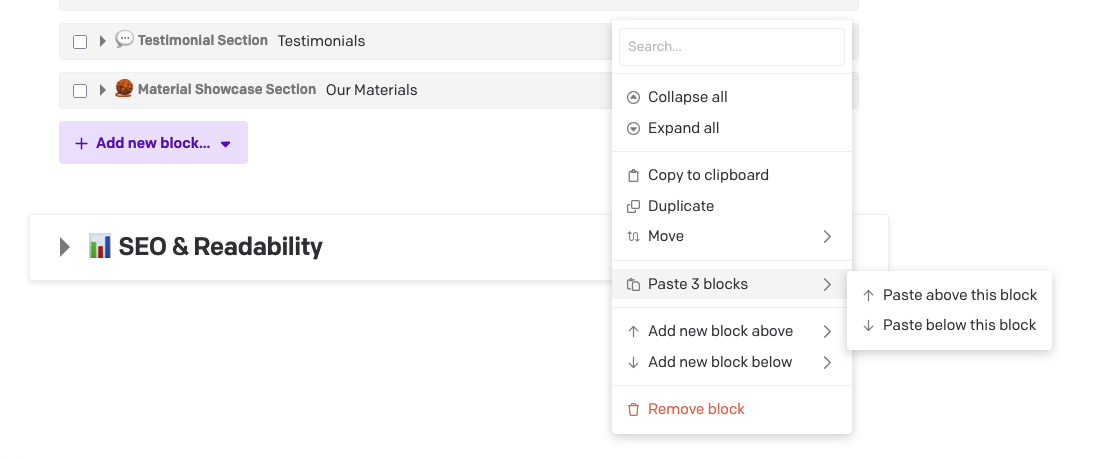
Or directly above/below an existing entry:
And if you ever need to do this with linked records instead of blocks, I made a plugin for that too: Copy Links - Plugins — DatoCMS
Mama mia, how could I miss those checkboxes 

Sorry for spamming and again, thanks for quick support
It’s not just you… I always forget about them too! I think the “use checkboxes to select” was something only added to modern UIs in like the late 90s or 2000s, maybe with Windows Vista or 7 or a new version of Gmail or something… and I have never really used them outside of Dato. Usually I just shift/ctrl-click to select multiples.
Maybe we’re just dinosaurs