By “unstable”, I mean that it is not a formal API endpoint that we can guarantee stability for, so it may change or break at any time. If this is a script that you manually run on occasion, it should be fine, but I wouldn’t build any mission-critical automations on top of it.
There are a few unlisted endpoints like this in the CMS. They are considered unlisted and unstable on purpose, being experimental and/or internal-use endpoints, and again, they are subject to unannounced changes or breakages at any time.
That said, you can see many of them in our TypeScript definitions (with a deprecated warning, though really they’re more just unstable rather than truly deprecated), e.g. client.uploadTracks.generateSubtitles(). Or if you ever want to see how the CMS software does something, the browser network inspector should let you capture the details, e.g.:
In this case, you can either use the deprecated/experimental client method or send a HTTP POST to https://site-api.datocms.com/uploads/${uploadId}/tracks/generate-subtitles with a body like:
No, you didn’t, actually Those experimental endpoints don’t normally show up in the docs menus, so it’s not something you’d discover organically. It’s a safety measure so people don’t accidentally use one of these without knowing what they’re getting themselves into.
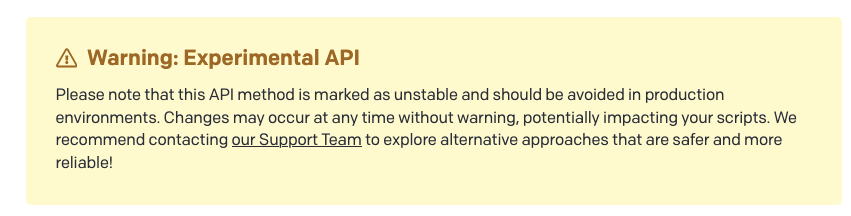
When you see a warning like this (which was actually added just a few days ago):
It means that you’re come across an unlisted, unstable API, probably by clicking through to it from our TypeScript defs.
They’re not exactly secret or private per se… they’re just primarily for internal use, unpolished, unstable, and may change or break without warning. Some of them have auto-generated docs, some of them have a comment or two added by a human staff member, and others have no documentation at all.

 Those experimental endpoints don’t normally show up in the docs menus, so it’s not something you’d discover organically. It’s a safety measure so people don’t accidentally use one of these without knowing what they’re getting themselves into.